The whole set, changed at once.
Cotalot changes the title blocks of dozens of DWG and DXF drawings in one go: revision, date, number. It also turns each layout into a PDF at the right size, converts and prints your drawing sets. No AutoCAD, no programming, paid once.
| Drawing no. | Title | Revision | Date |
|---|
Fill a column
Writing
A demonstration in your browser, on a sample set: edit a cell, or leave the value empty and click "Same value" to move every drawing to the next revision. Cotalot does the same in your DWG and DXF files.
Try it here.
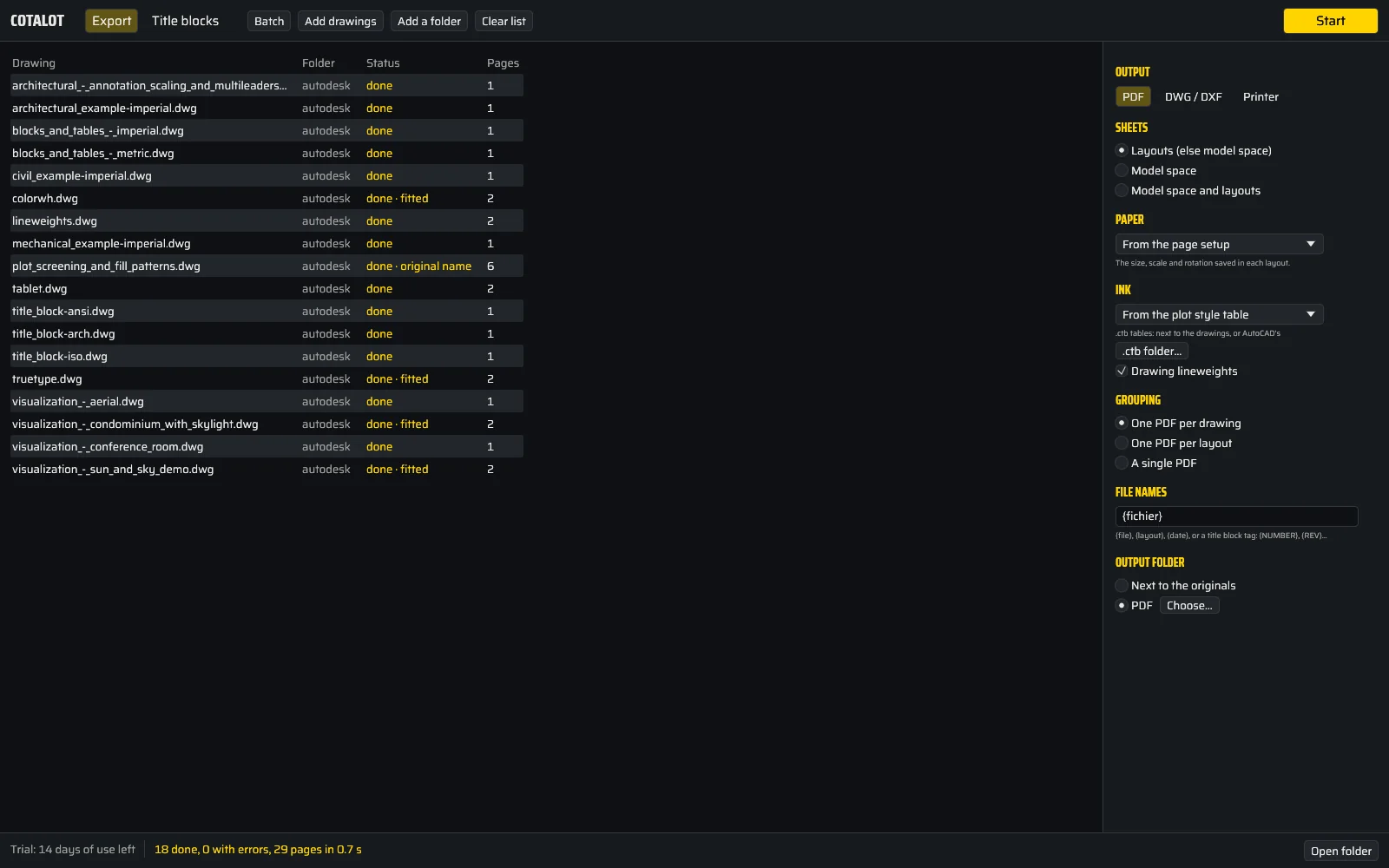
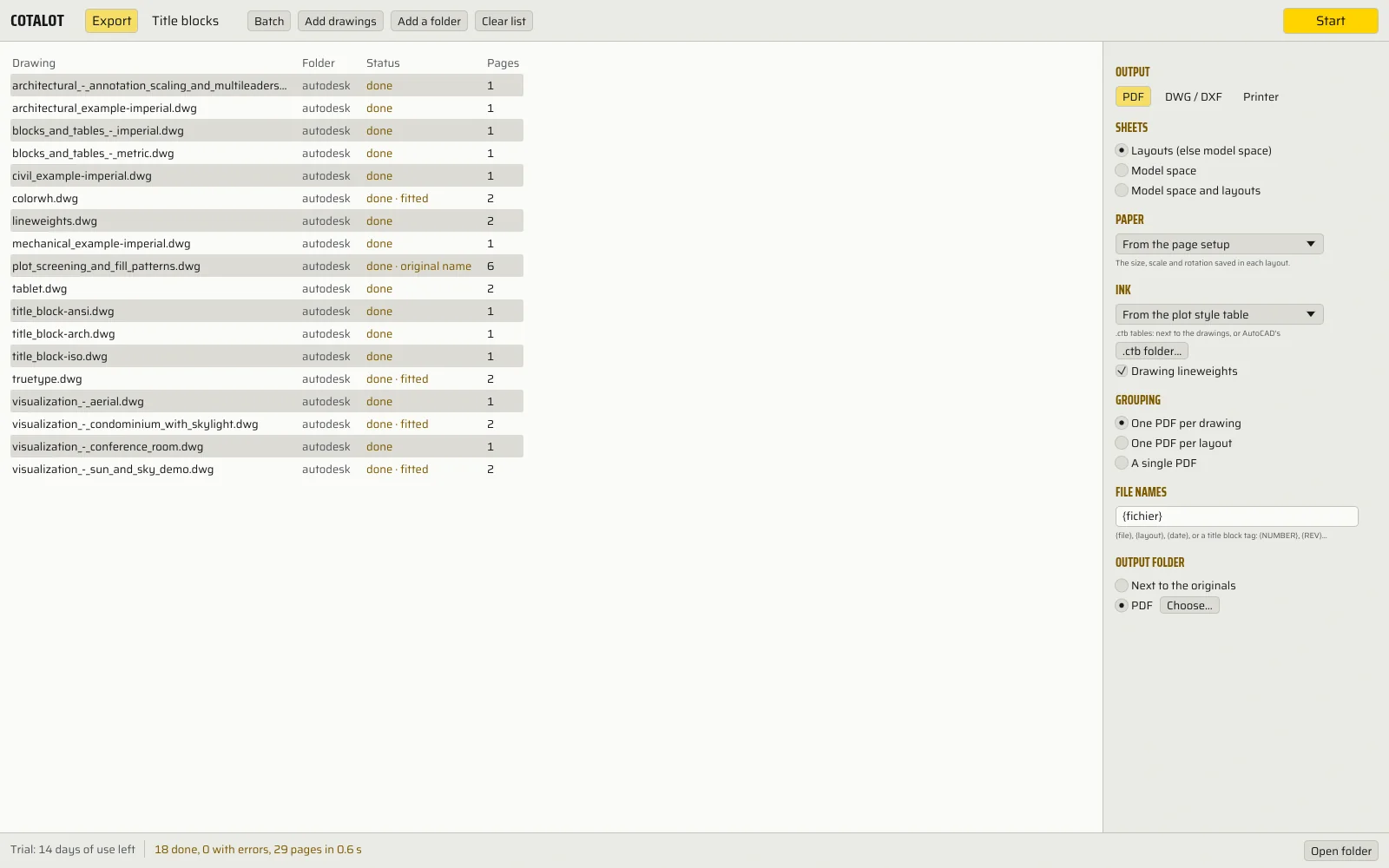
Batch PDF and version conversion, as in Cotalot. Each tab keeps the screenshot of the real software.
See the screenshot of the real software
| Drawing | Version | Status |
|---|
—
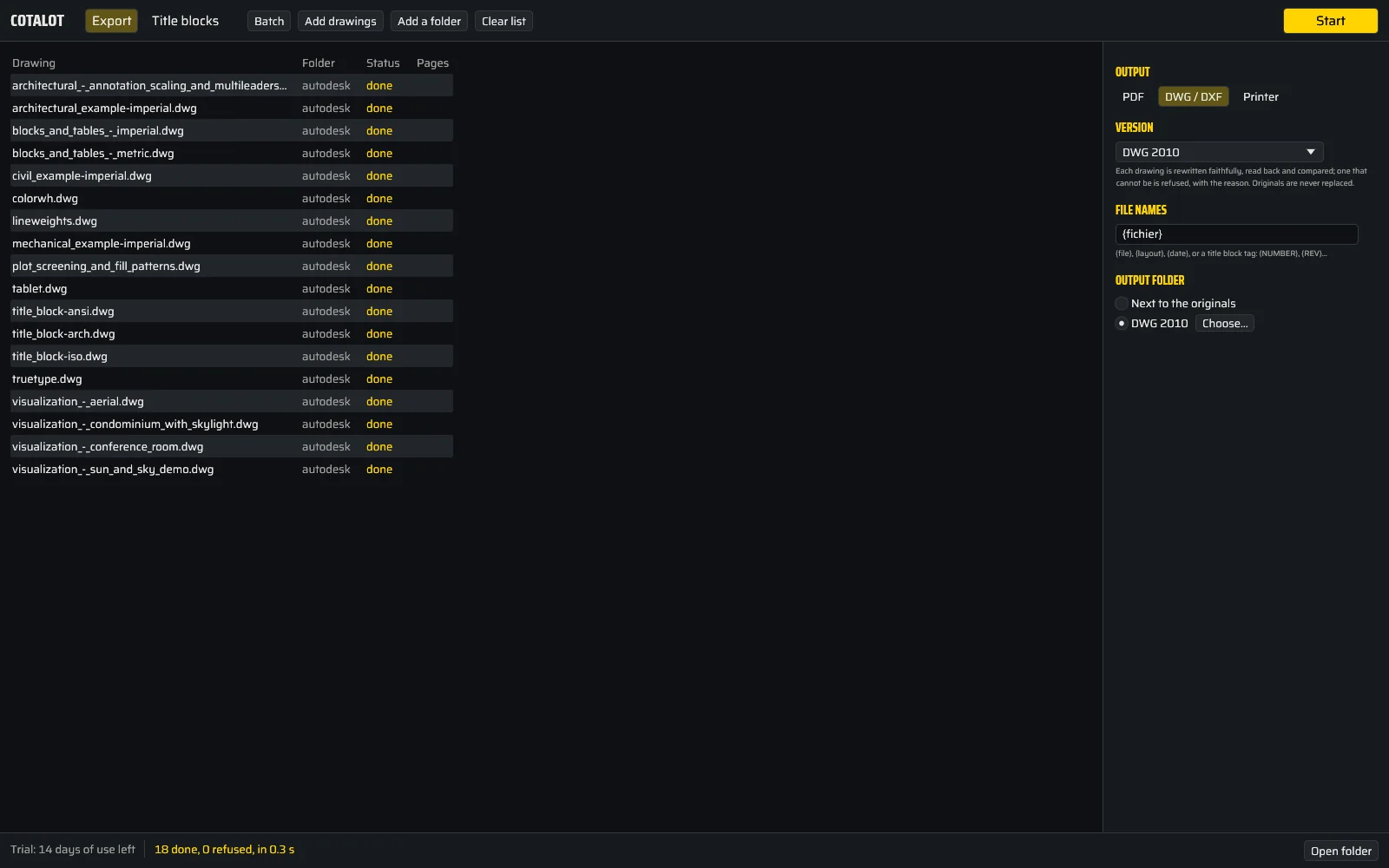
Each converted drawing is read back and compared with the original. What cannot be converted faithfully is refused, with the reason: never a wrong file, never an original replaced.
See the screenshot of the real software
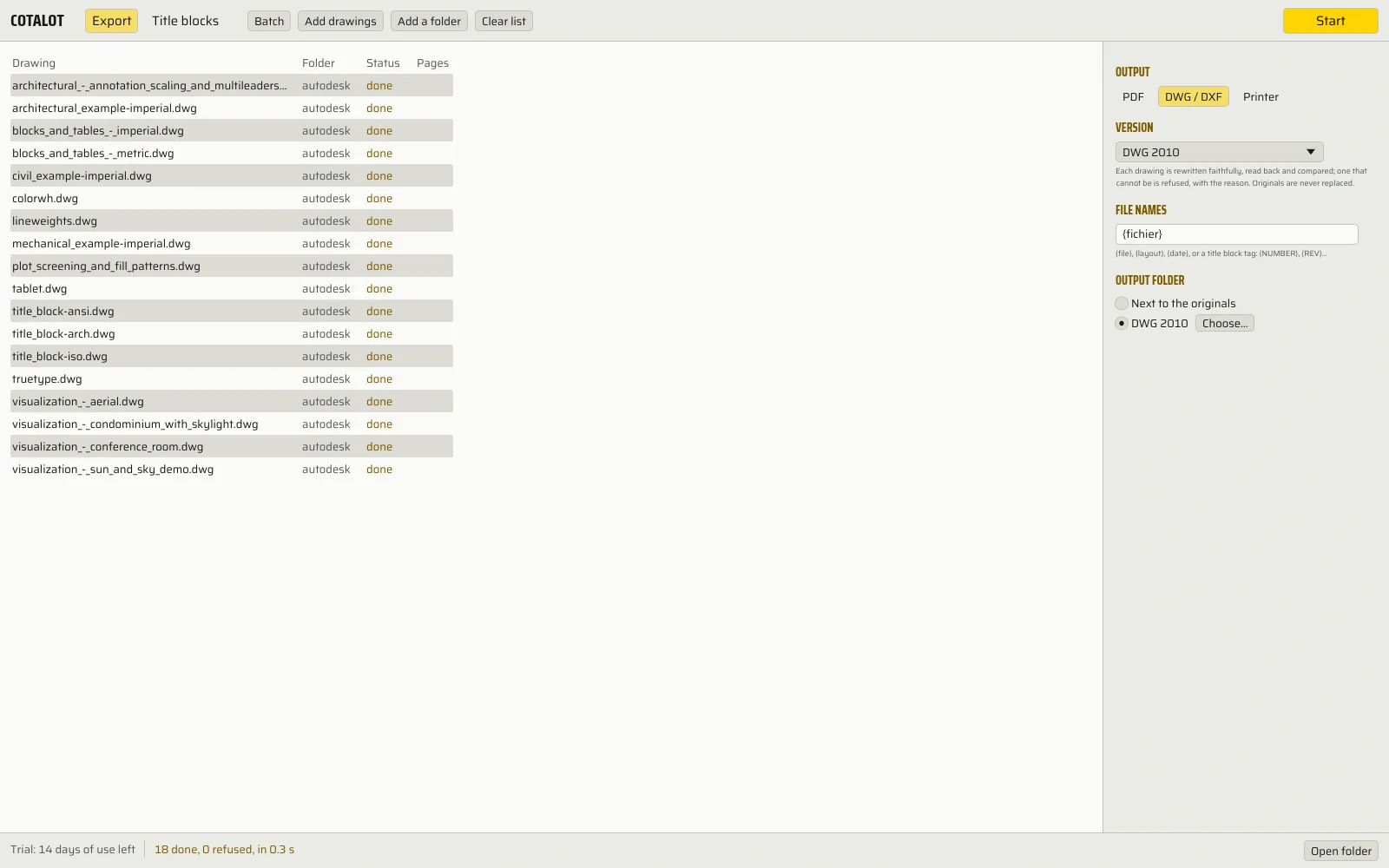
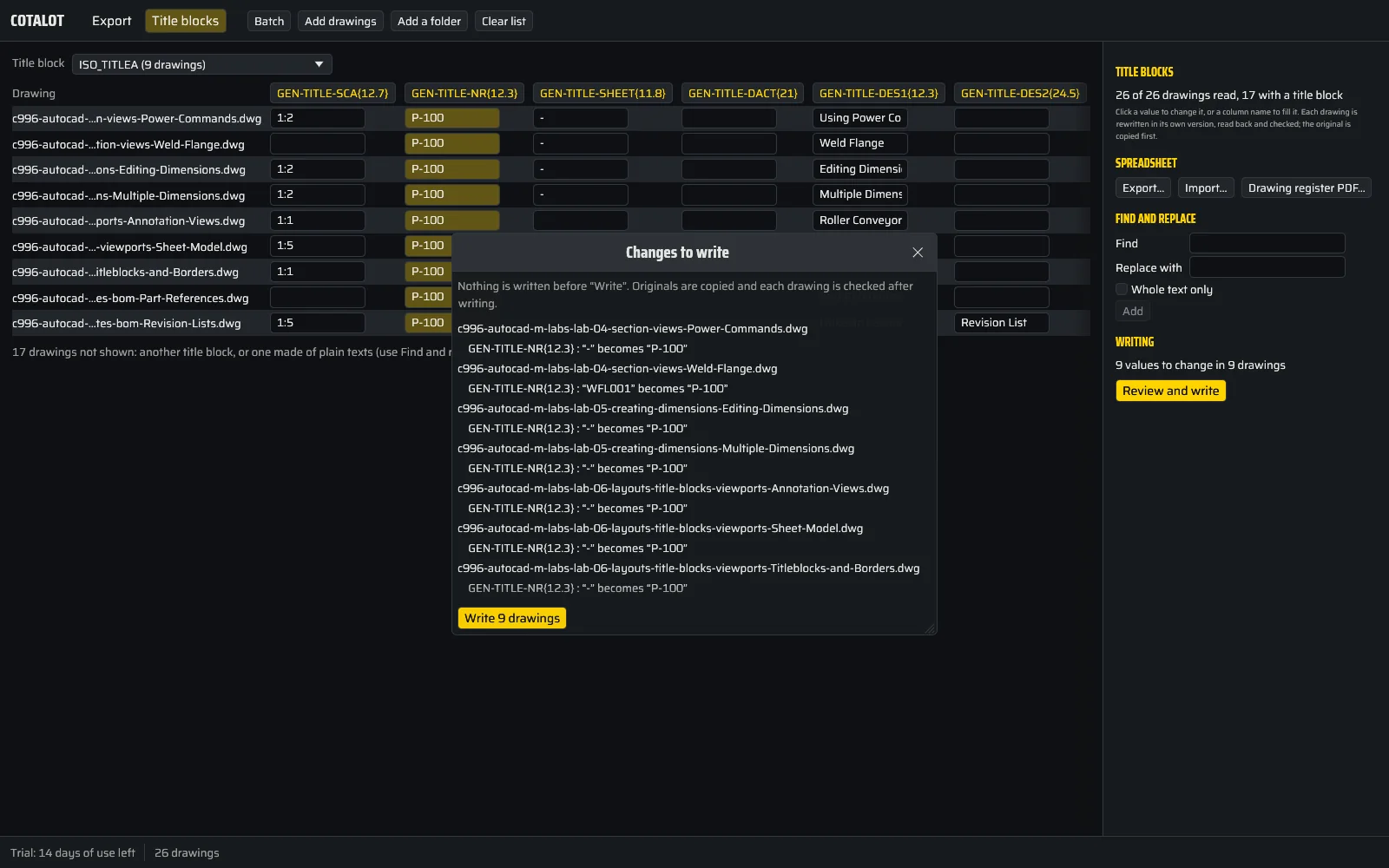
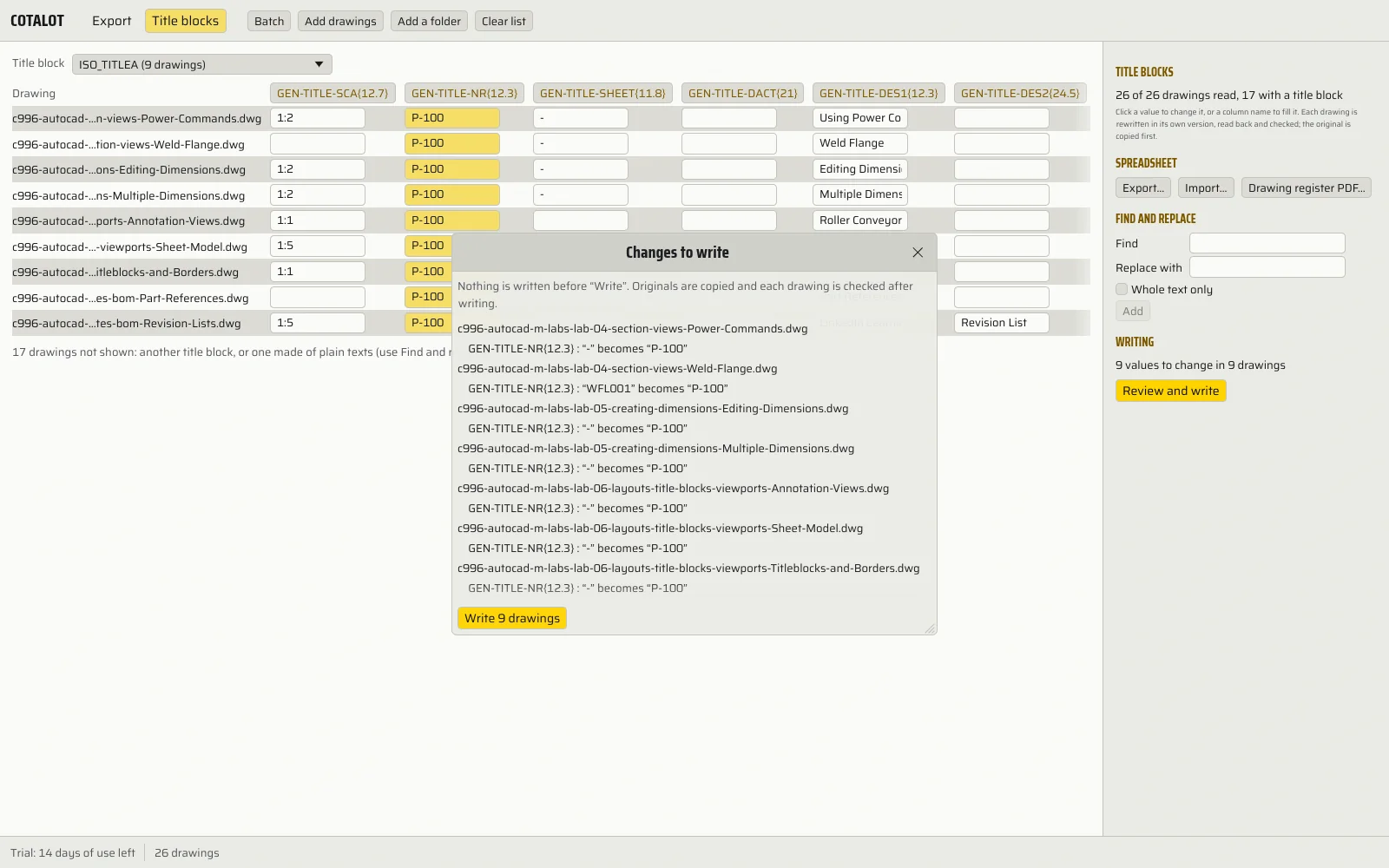
Demonstrations in your browser, on a sample set; Cotalot does the same on your own drawings.
Three steps, no more.
- Add
Drop the folder
DWG and DXF, from R14 to 2018, subfolders included. Cotalot finds the title block on its own: attribute block, or plain texts.
- Change
Every title block in one table
One row per drawing, one column per field. Edit a cell, fill a column, or go through Excel and import it back.
- Send
PDF, DWG or paper
Each layout at the size of its page setup, another DWG version, or the whole folder on your printer, in a single job.
What matters in a design office.
What Cotalot does, measured on real drawings wherever possible.
- no AutoCAD
Title blocks in batch
The revision of 200 drawings, without opening them one by one and without LISP. The same value for a whole column, or a numbered sequence (PL-201, PL-202…).
- before / after
Nothing written without a preview
The list of every change, drawing by drawing. The originals are copied, and the last write is undone in one click, original restored byte for byte.
- 291 / 291
Each drawing read back and compared
A drawing is rewritten in its own version, read back, then compared with the original: only the title block values may change. On our bench of 291 real drawings, all stayed faithful.
- Excel
The table in your spreadsheet
Export the title blocks to .xlsx, fill them there, import them back: Cotalot shows what changes before writing.
- A0 → A4
PDF at the right size
One page per layout, at the size, scale and orientation saved in the drawing. A missing or off-paper page setup is adjusted, and flagged.
- .ctb
Your plot style tables
Your office's .ctb tables, next to the drawings or in AutoCAD: color, gray, screening, lineweight per color. Or drawing colors, black, grayscale. One PDF per drawing, per layout, or a single one with a bookmark per page.
- {NUMBER}
Well-named files
Each PDF named from the title block: drawing number, revision, date. No more "Drawing1.pdf".
- 2000 → 2018
Checked version conversion
DWG and DXF from 2000 to 2018. A drawing that cannot be converted faithfully is refused, with the reason: the original never moves.
- 1 job
The whole folder to the printer
On any Windows printer, landscape pages turned the right way, with a preview of each page before you run it.
- register
Drawing register and batches
The list of the set as a PDF, one drawing per row. The batch is saved, to send the same set again at the next revision.
- 0 bytes
Your drawings stay with you
No account, no cloud. Cotalot works offline.
- FR · EN
In English or French
The software, its help and its PDFs, in your language.
Paid once. Nothing to cancel.
Full 14-day trial, counted in days of use, with no credit card: only the days you open Cotalot count. Refunded within 30 days, no questions asked.
€59.99Solo · excl. VAT, once · launch price
- Everything: title blocks, PDF, conversion, printing, register, batches
- 1 person, 2 computers
- All 1.x versions included
VAT added at checkout · then €99 excl. VAT
What people ask us.
Do I need AutoCAD on the computer?
No. Cotalot reads and writes DWG and DXF itself, from R14 to 2018. It needs neither AutoCAD, nor TrueView, nor programming.
My title block has no attributes, only texts.
Cotalot also changes title blocks made of plain texts, by find and replace, with the same preview before writing.
What if writing goes wrong?
Each drawing is read back and compared before it replaces the original. The originals are copied to a dated folder, with a log, and the last write is undone in one click.
My drawings come from AutoCAD Mechanical.
Their title blocks change without trouble: the drawing is rewritten in its own version, Mechanical objects included. Converting to another version, however, refuses about one AutoCAD Mechanical drawing in four, with the reason: their own objects are only copied in their original version. Nothing wrong is written, the original stays.
Do the written drawings open in AutoCAD?
They are read back by Cotalot and by LibreDWG, an independent reader. We have not reopened them in AutoCAD itself yet: it is one of the points of the beta, and we will tell you.
Are my files sent anywhere?
No. Nothing leaves your computer.
What happens after the 14 days?
Cotalot switches to Reader mode: you can still open your drawings, see the page preview, read and export title blocks. Writing, PDF output, conversion and printing need a licence.