



The 3D modeller that belongs to you.
Paid once, no subscription, no account. It works offline.
This first version makes sheet metal parts, from the sketch to the drawing. Solid parts and assemblies will come next, included for version 1 licences.
Version 1.0.0 · what's new · Windows 10 or 11, 64-bit
Flat pattern
A demonstration in your browser: change the profile or a dimension, the part and its flat pattern follow. Cotaforge does the same with all its sheet metal features.
Try it here.
One part from tab to tab: its parameters, its flat pattern, then holes and cut-outs. Each tab keeps the screenshot of the real software.
Parameters
Flat pattern
See the screenshot of the real software
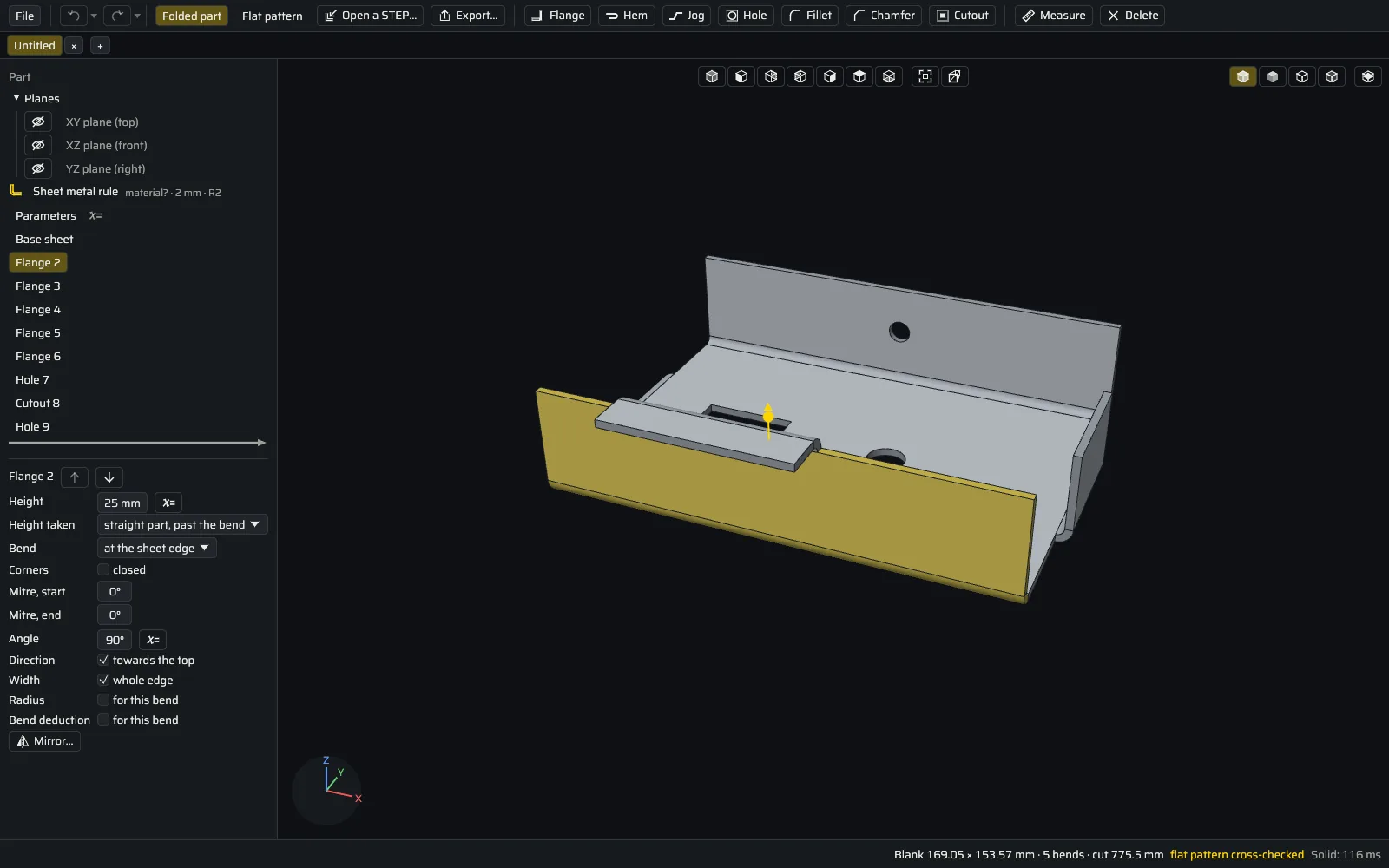
Flat pattern
See the screenshot of the real software
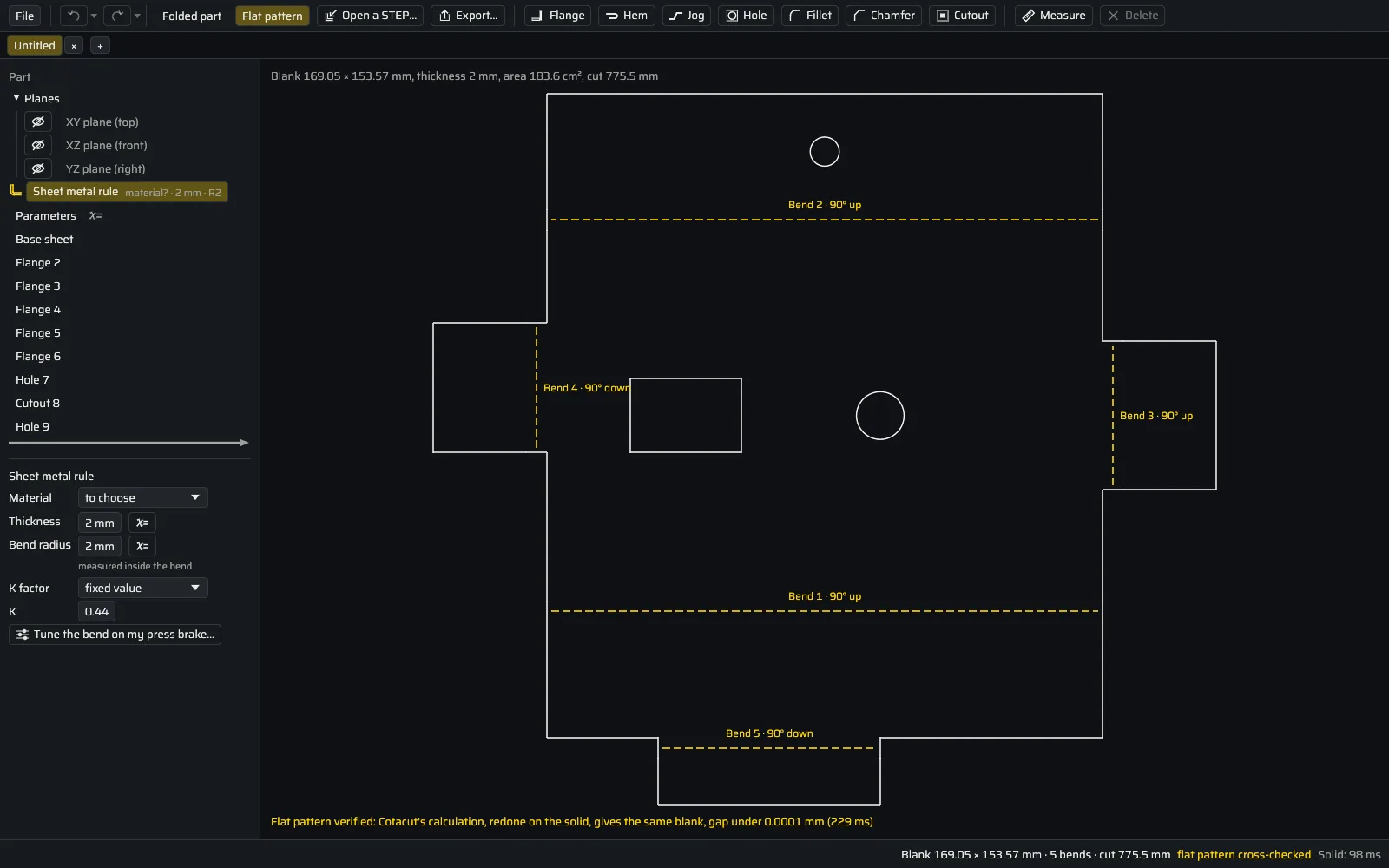
Tool
Dimensions ·
See the screenshot of the real software
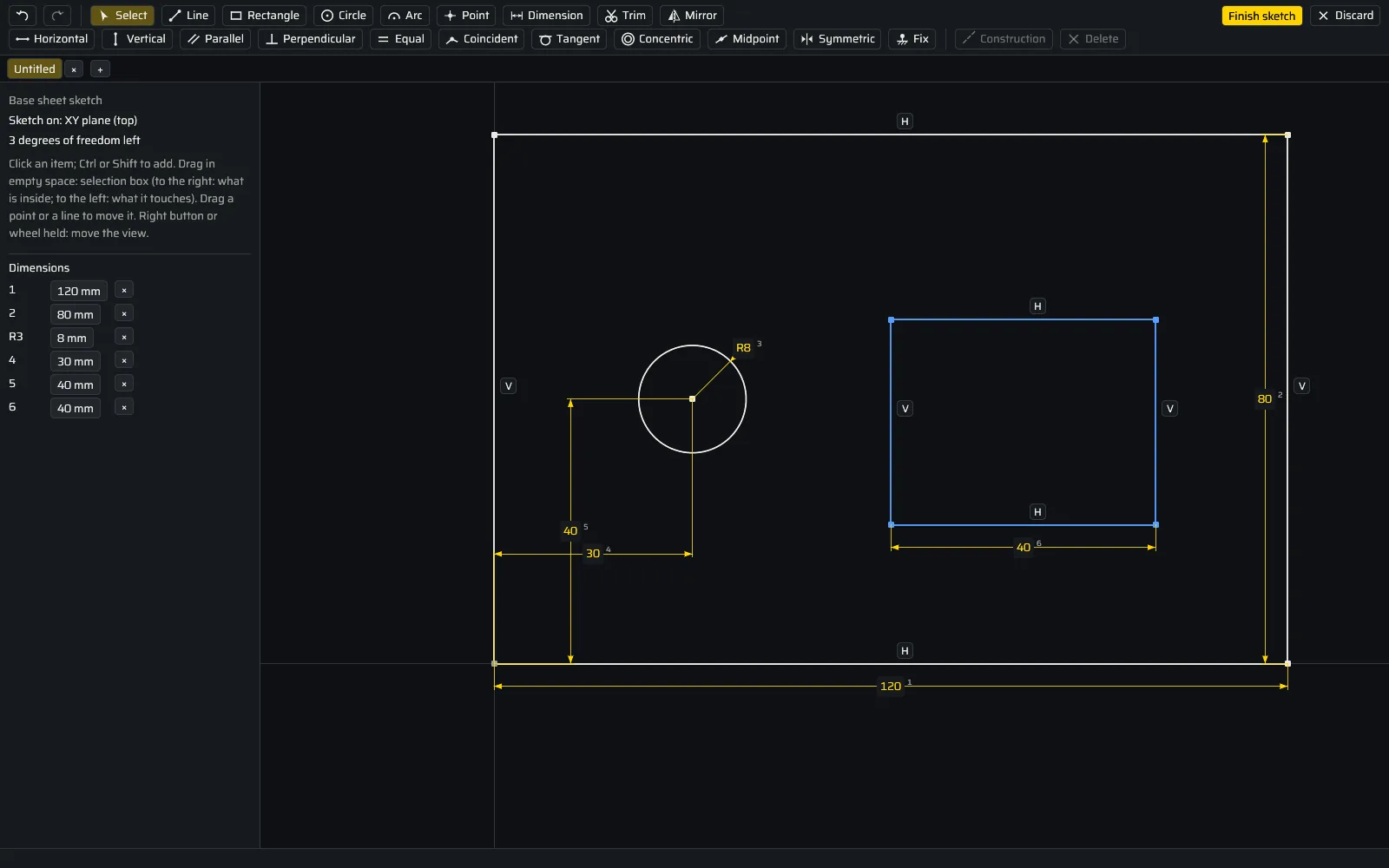
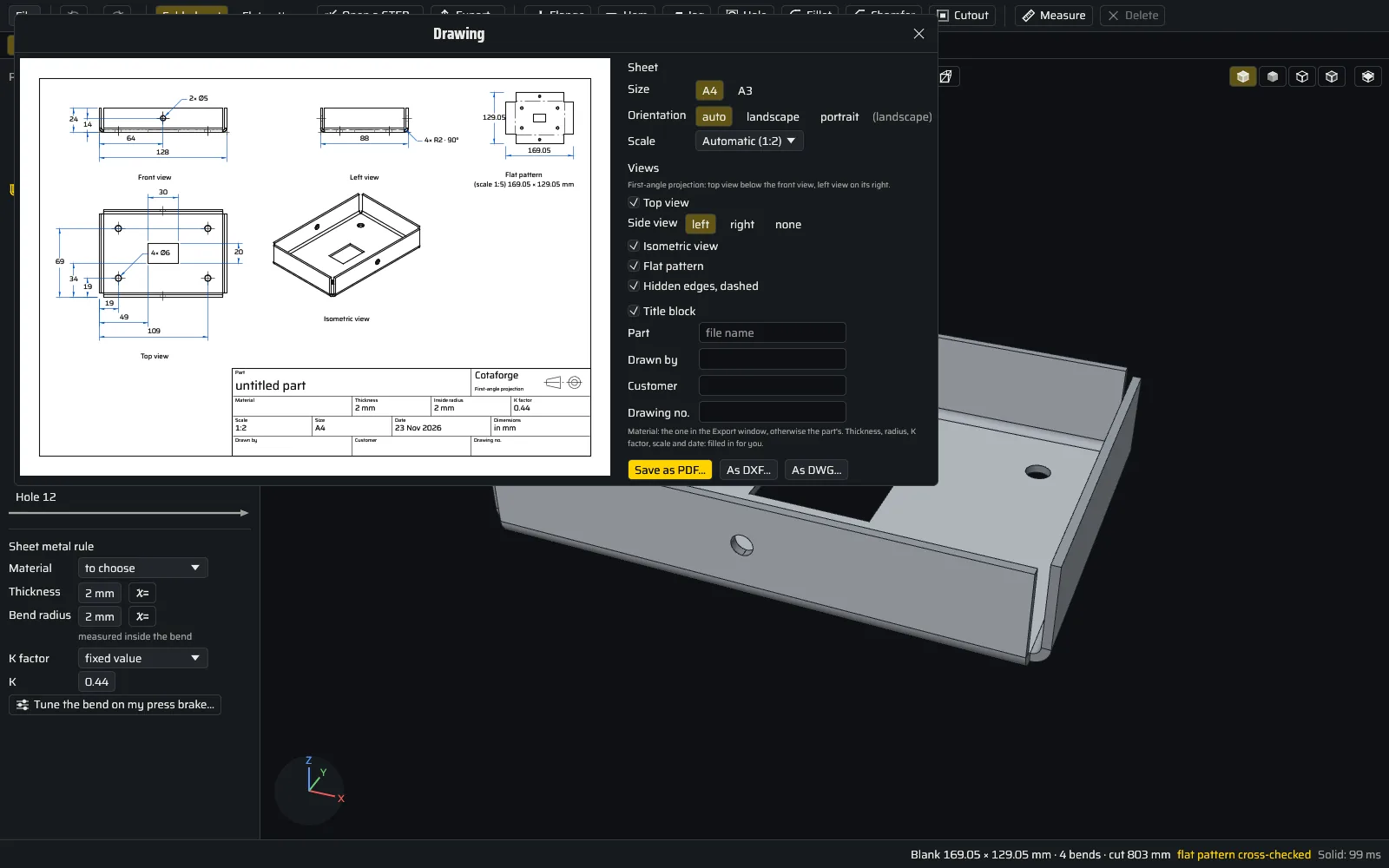
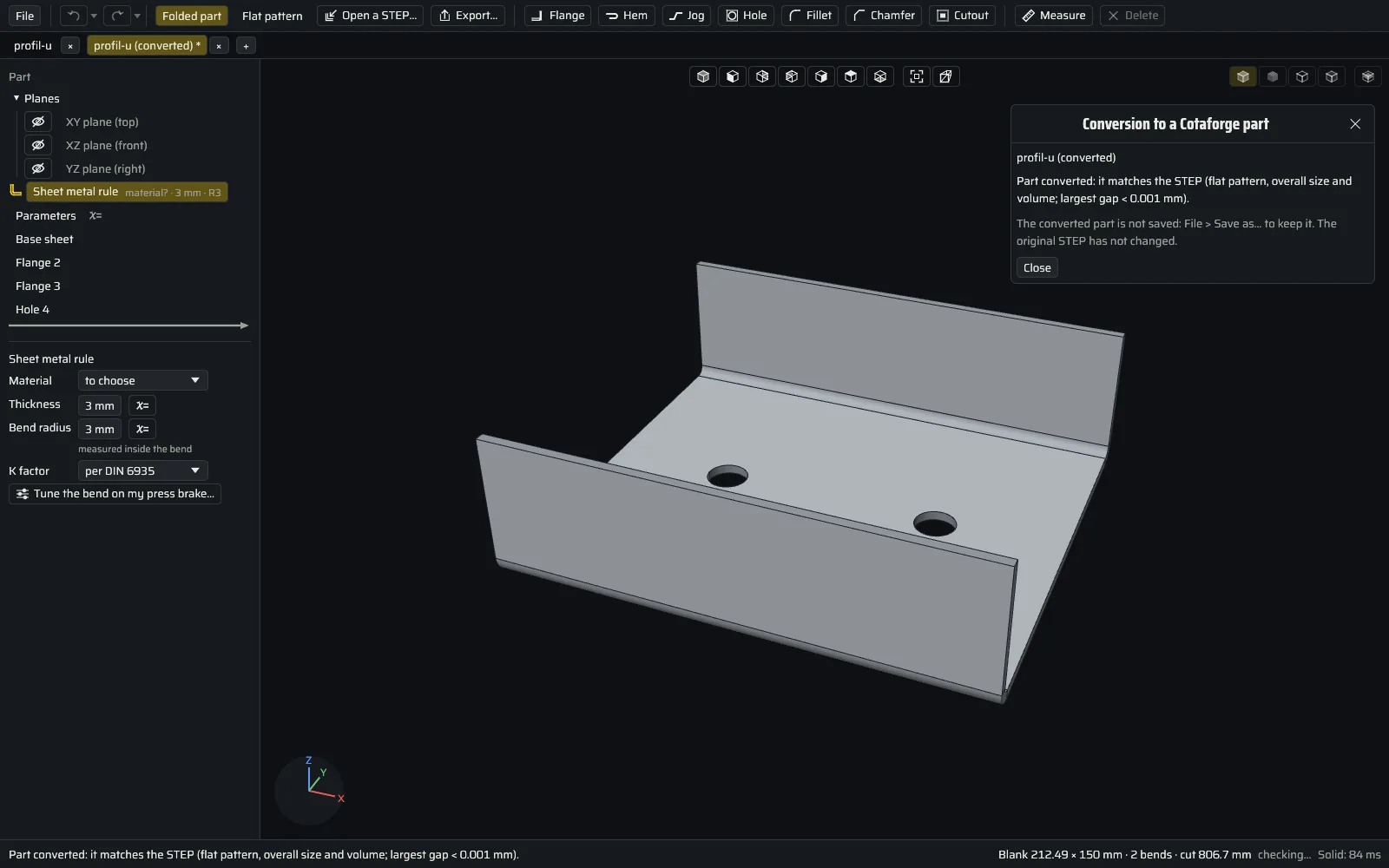
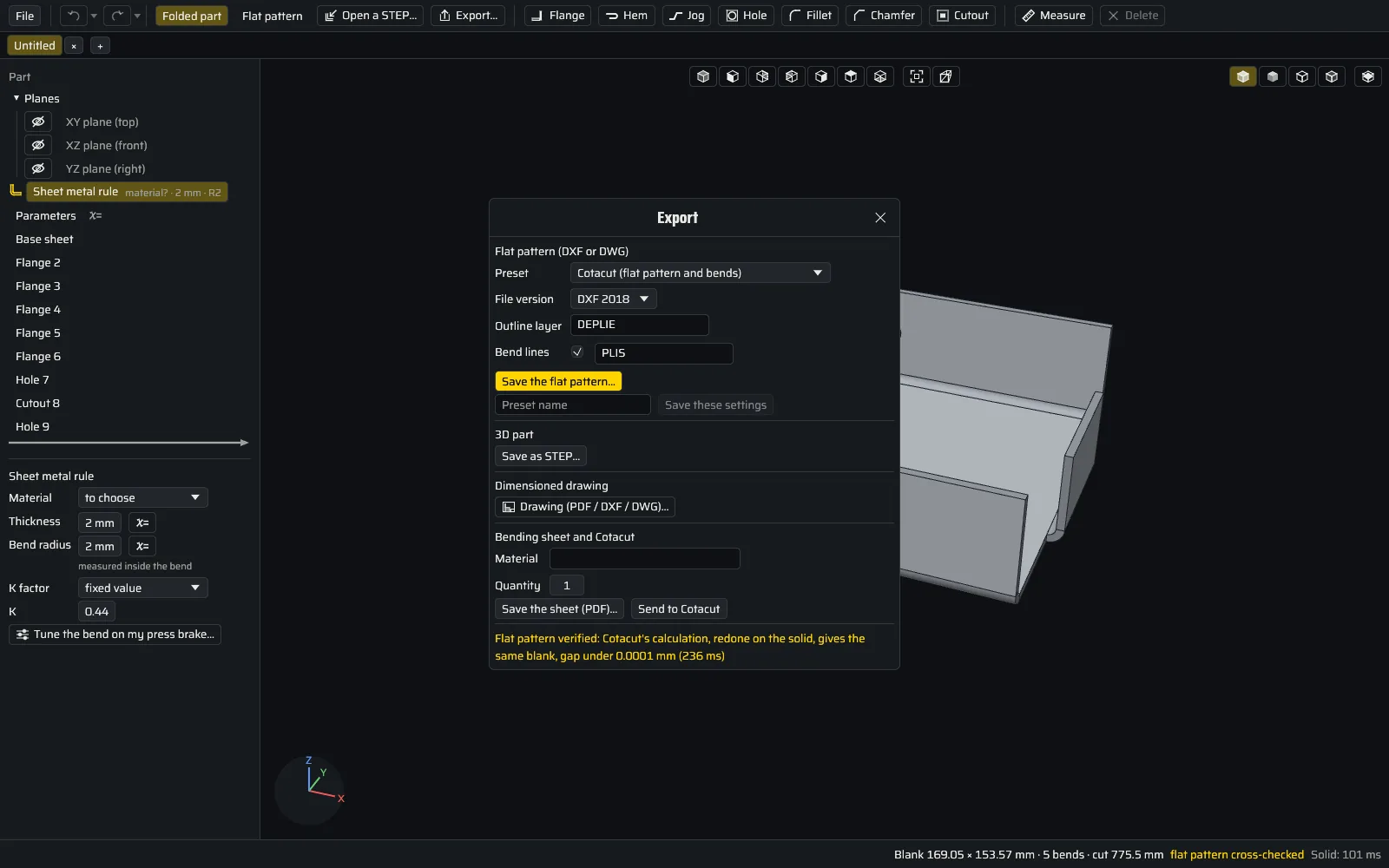
Demonstrations in your browser, on a sample part; Cotaforge does the same on your own parts.
Three steps, no more.
- Sketch
A dimensioned sketch
Line, rectangle, circle, arc; dimensions and constraints are set while you draw. A 9-step guide walks you through the first launch.
- Bend
The sheet, bend by bend
Base flange, edge flanges, hems, jogs, closed corners, holes. Change a dimension in the tree: the whole part follows.
- Output
DXF, drawing, STEP
The flat pattern for cutting, the dimensioned drawing for the shop, the STEP file for your customers, the bending sheet for the press brake.
What this version does.
Sheet metal parts, from start to finish. What it does not do yet is written further down, plainly.
- L, U, Z, Ω
Sheet metal
Base flange, part bent in one go, edge flanges, hems, jogs, closed corners, mitres, reliefs, fillets and chamfers, holes, cut-outs, patterns, mirror.
- L = 200
Parameters and tree
Named values and formulas (H = L/4) drive the part. In the feature tree, change a dimension, drag a feature, roll back: the whole part follows.
- checked
Flat pattern always up to date
Recalculated at every change, and checked by a second, independent calculation, hems included.
- your press
Set to your press brake
A test piece, bent and measured, gives the bend deduction. The shop table is a plain text file, shared with Cotacut.
- PDF · DXF · DWG
The dimensioned drawing
Automatic views, dimensions and title block, as PDF, DXF or DWG. The flat pattern as DXF or DWG, with your presets.
- STEP
Your sheet metal STEP files
Drop in a STEP file made elsewhere: unfold it and output its DXF, or convert it into an editable Cotaforge part, checked against the original file.
And also 6 more features
Guided start
A 9-step guide at the first launch, and a short animation when you hover over each tool.
Sketch on any plane
XY, XZ, YZ or offset planes; trim, mirror, box selection.
Measure and check
Distances, angles, radii, areas; section view, standard views, several parts in tabs.
Bending sheet
A PDF for the press brake, with the part in 3D, the order and the angle of each bend.
Your parts stay with you
No account, no cloud. Cotaforge works offline, your .cotaforge files are on your computer.
In English or French
The software, its messages and its PDFs, in your language.
Paid once. Nothing to cancel.
Full 14-day trial, counted in days of use, no credit card: only the days you open Cotaforge count. Refunded within 30 days, no questions asked.
249€Solo · excl. VAT, once · launch price
- All the sheet metal, the drawing, DXF, DWG, PDF and STEP outputs
- 1 person, 2 computers
- 1.x versions included, solid parts and assemblies too when they come out
€298.80 incl. VAT in France · then €399 excl. VAT
A company? 60-day business trial, 5 computers · €49 excl. VAT, deducted if you buy afterwards.
By buying, you accept the terms of sale and the licence agreement. Payment by Stripe; licence key sent by e-mail within 24 hours. Windows 10 or 11, 64-bit.
What people ask us.
What does this version not do yet?
Solid parts (extrude, cut), assemblies, rolled cylinders and cones, stampings and forms, teardrop hems, and opening SolidWorks and IGES files. An imported STEP file that is not converted can be unfolded and exported, but not edited.
Will solid parts and assemblies cost extra?
Not for you: they are included for version 1 licences. You will get them as updates.
My parts come from another program.
Export them as STEP and drop them into Cotaforge: it unfolds them and outputs their DXF, or converts them into editable Cotaforge parts, checked against the original file.
Is the flat pattern right for my press brake?
It follows your setting: bend a test piece, measure it, and Cotaforge works out the bend deduction and keeps it in the shop table, for each material and thickness.
Are my files sent anywhere?
No. Nothing leaves your PC.
What happens after the 14 days?
Cotaforge switches to Reader mode: you can still open your parts, look at them bent and flat and read their dimensions. Editing and exporting need a licence.
Try for 14 days, every feature.
Windows 10 and 11 installer (64-bit), no account, no credit card. Only the days you open the software count; after that, Reader mode stays free.